Registration is the first thing a delegate experiences and the last thing anyone budgets. Twelve minutes in a queue at 8.40am colours the keynote, the coffee and the conversation about whether the event was worth attending.
It is also the most solvable problem in event operations, because it is close to pure arithmetic.
The queue maths
A trained person on a working system processes a delegate in 20 to 30 seconds: scan, print, hand over, point them at the room. Call it 30 to be safe.
So one desk position handles about 120 people an hour. If 300 delegates arrive across 90 minutes, three positions clear it without a queue forming. If those same 300 arrive in the 30 minutes before a 9am keynote, which is what happens, you need six.
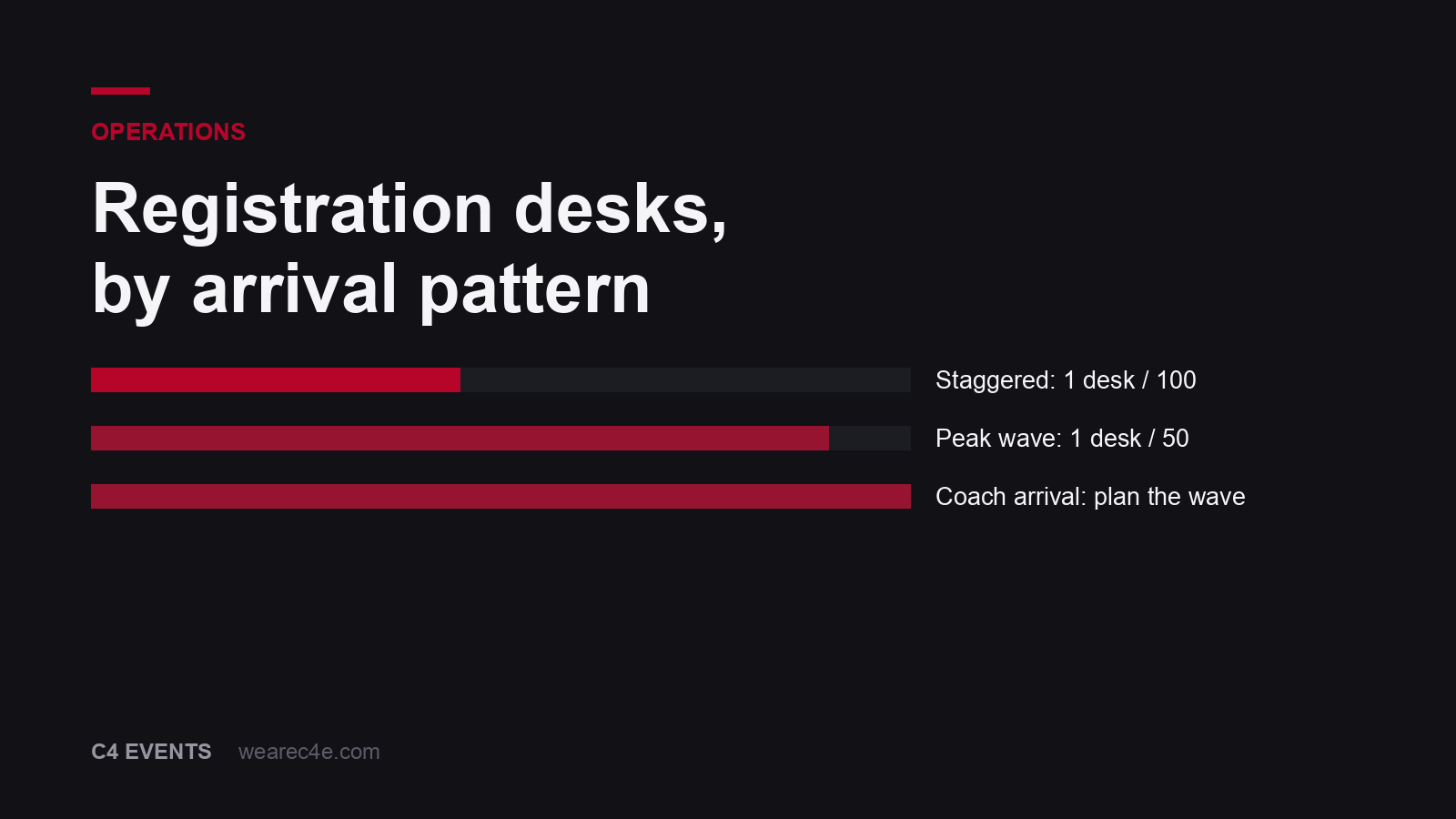
The rule: one desk position per 100 delegates for a staggered arrival, one per 50 for a peak wave. And plan for the wave, because arrivals are never staggered. People arrive when the coaches arrive or when the keynote is about to start.
The second rule matters as much: a queue that forms in the first ten minutes does not clear. It compounds, because the people behind it arrive at the rate they were always going to arrive. Overstaff the first 30 minutes and stand people down after.
Print on demand, not in advance
Pre-printed badges feel organised and are slower.
Someone has to sort them, someone has to find the right one in a box of 400 while a person waits, and every name change in the fortnight before the event creates a reprint pile that has to be merged back. Then a delegate whose name was misspelled has no fix on the day.
On-demand printing takes about eight seconds per badge, handles the walk-up, handles the misspelling, and handles the delegate who registered under a nickname. Bring two printers minimum. Printers fail, and a single printer is a single point of failure on the one part of your event that every attendee touches.
Pre-print for VIPs, speakers and press, and hand those over somewhere that is not the queue. A keynote speaker standing in a delegate line is a small failure that people notice.
Scan, do not search
Send every registered delegate a QR code in advance, in the confirmation and again in the reminder 24 hours out. On arrival it is scanned and the badge prints. No name search, no spelling, no list.
This one change halves the transaction time. The delegates who forget their code get searched by name at a dedicated position, which stops one person’s problem from holding the whole line.
Two practical notes. Test the scanners against the actual code format and against a phone screen at low brightness, because that is the real-world condition. And have a paper fallback list printed and on the desk, because the day your wifi drops is the day you will need it.
Signage before the queue, not after
A surname split only works if people know about it before they join a line. Signage at the door and a person directing at the entry point are worth more than a bigger desk.
Split A to K and L to Z for two desks. For more, split by three or four letter groups, and make the groups uneven on paper so they balance in practice, because surnames do not spread across the alphabet in equal shares. In markets where a large share of delegates share a small number of surnames, split by company or by first name instead.
What goes on the badge
First name, large. Readable from two metres, which is further than most badge designs assume. Surname and company smaller underneath. A track or role marker if the event has streams, done with colour or a symbol rather than more text.
Print both sides. Lanyards flip, and a badge that is blank on the reverse is useless half the time it is being looked at.
Leave off anything that makes someone uncomfortable in a networking room. Never print a mobile number. And check how the design handles a long name in a script that is not Latin, because that is where badge templates break.
Capture only what you will use
Every field in a registration form lowers completion and creates data you then have to protect.
What earns its place: name, company, role, dietary requirement, accessibility need, and session or track choice where relevant. Ask for a mobile number only if you intend to send an operational message to it, and say what you will use it for.
Dietary and accessibility fields need a free-text option rather than a dropdown, because the dropdown will not contain the answer somebody needs to give. Then make sure the answers reach the venue and the floor team, which is the step that fails. A dietary requirement collected and not passed to banqueting is worse than not asking, because the delegate told you and you did nothing.
The desk itself
Things that make a visible difference and cost close to nothing:
- Power and wired network at every position. Registration on venue wifi is a decision to gamble the first hour of your event.
- A separate table for lanyards, bags and materials, away from the printing positions, so the transaction stays fast
- A supervisor with no fixed position, solving the one delegate who is not on the list rather than blocking a desk
- Somewhere to stand that is not the walkway, so the people who have registered stop forming a second obstruction
- Spare printers, spare label stock, spare lanyards, spare scanner. All of it fails in the end and none of it is expensive to duplicate
What we got wrong
We staffed a registration desk to the headcount rather than to the arrival pattern. Four positions for 400 people, which is right on the average and wrong on the day, because 340 of them arrived on six coaches inside 20 minutes.
The queue ran out of the foyer and into the drive. It cleared in 35 minutes, the keynote started 12 minutes late, and every one of those 340 people started the event annoyed. Nothing broke. The maths was wrong.
Now we plan registration from the transport schedule rather than from the delegate list, and we ask one question early: how do these people in person arrive, and in how many waves? If the answer is coaches, the desk gets built for the coach.
Day two, and the badge people forgot
On a multi-day event, a fifth to a quarter of delegates will arrive on day two without their badge. They left it in the room, in a jacket, in a bag they checked.
Plan for it. A reprint position, open for the first hour of each subsequent morning, staffed by one person, with the print queue already loaded. It takes eight seconds and it stops a small annoyance from becoming a queue at the door of a session that is about to start.
The alternative, which is asking people to remember, does not work and has never worked.
Accessibility at the desk
The registration desk is where an event tells someone whether it was designed with them in mind.
A lowered position at every desk bank, so a wheelchair user is not served over a counter at chest height. A quiet route into the room for anyone who asked for one. Lanyards in two lengths, because one length does not work for everyone. And a printed list of what was requested, in the hands of the floor team rather than in a spreadsheet nobody opened, so the person who told you about their requirement in February does not have to tell you again in the foyer.
None of this is expensive. All of it is visible to the person it matters to.
Data, after the event
You have collected a list of names, employers, roles and dietary requirements across several jurisdictions with different rules about what you may keep and for how long.
Three things to settle before you collect any of it. Where the data lives and who has access. How long you keep it, and what triggers deletion. And what you told delegates you would use it for, because that is the boundary and it is the one people forget when a sales team asks for the list in March.
Delete the dietary and accessibility data after the event. It is the most sensitive thing you hold, it has no use once the event is over, and keeping it is a risk with no upside.
Three rules
1/ Staff for the peak wave. One position per 50 in the arrival crush, not one per 100 on the average.
2/ QR in advance, print on demand. Scanning beats searching by half the transaction time.
3/ Wired network and spare everything. This is the one system every attendee touches.
Registration and badging sit inside every conference and convention we run, and they are part of what we automate with AI in our work for event companies.
Tell us the headcount and how they arrive and we will build the desk around the second answer.
And that, ladies and gents, is registration. Do you agree?
Frequently asked questions
How many registration desks does an event need?
One desk position per 100 delegates for a staggered arrival, and one per 50 if most people arrive in a 30-minute window before a keynote. Surname splits work better than a single queue. If your arrival is one coach wave, plan for the wave rather than for the headcount.
Should badges be pre-printed or printed on demand?
On demand, in almost every case. Pre-printed badges have to be sorted, found and handled, which is slower per person than printing one in eight seconds, and every name change before the event turns into a reprint pile. Pre-print only for VIPs and speakers, who should not queue at all.
What should be on an event badge?
First name large enough to read from two metres, surname and company smaller, and a role or track marker if the event has streams. Print both sides so a flipped lanyard still works. Leave off anything that makes people uncomfortable in a networking room, and never print a mobile number.
How do you avoid queues at event registration?
Three things. 1/ Send everyone a QR code in advance and scan it rather than searching a list. 2/ Split the desk by surname with clear signage before the queue forms, not after. 3/ Staff for the peak arrival wave rather than the average, because a queue that forms in the first ten minutes never fully clears.
What data should registration capture?
Only what you will use. Name, company, role, dietary requirement, accessibility need, and session or track choice if relevant. Every extra field lowers completion and creates data you have to protect. Ask for a mobile number only if you will send an operational message to it.